Gesture Handler
react-native-gtkx/gesture-handler reimplements react-native-gesture-handler
3.x's semantics on top of this platform's own gesture responder system. It is
not a port: nothing from RNGH's src/ is vendored, adapted or transcribed —
upstream's implementation is used as a blueprint for behavior, and the
behavior is rebuilt on GTK4 event controllers. Both the Metro and vite
presets alias the react-native-gesture-handler package name onto this
subpath, so an app that already imports from that name changes nothing in its
source to run here.
For the responder system this subpath is built on — PanResponder, View's
touch props, Pressable — see Gestures.
import { Gesture, GestureDetector } from "react-native-gesture-handler"

const offset = useSharedValue(0)
const start = useSharedValue(0)

const pan = Gesture.Pan()
  .activeOffsetY([-10, 10])
  // translationY is measured from where THIS gesture activated, so it starts
  // at zero on every new grab. Capturing the view's existing position first
  // is what lets the drag continue from there instead of snapping back.
  .onStart(() => {
    start.value = offset.value
  })
  .onUpdate((event) => {
    offset.value = start.value + event.translationY
  })

const card = (
  <GestureDetector gesture={pan}>
    <Animated.View style={[styles.card, animatedStyle]} />
  </GestureDetector>
)
Ten recognizers exist, in two spellings each (nine of them also have a hook;
see Recognizers), a GestureDetector to mount them,
composition and cross-gesture relations, GestureStateManager, the enums
(State, Directions, HoverEffect, MouseButton, PointerType), and the
platform's own ScrollView/FlatList/TextInput/Switch/Touchables
re-exported under RNGH's names. What is not implemented is grouped at the
end of this page, each with the one mechanical
reason it throws.
GestureHandlerRootView
GestureHandlerRootView renders a View with style ?? { flex: 1 } — the
same default upstream's three platform implementations agree on. An explicit
style prop replaces the default box rather than merging with it: an app
that passes style={{ height: 100 }} gets a 100px box with no flex, not a
flexing one with a height added on top.
Upstream's root view has a second job — marking the subtree as
gesture-arbitrating — that this platform does not need to reproduce: the
responder system's lock is already global, so there is no scope for a
provider to draw. GestureHandlerRootView is therefore a plain layout box,
faithful to upstream's rendered output, with nothing else attached to it.
An app places one at the root of its tree, as upstream's own documentation
recommends, so that anything relying on the default flex: 1 to fill the
screen has it.
GestureDetector
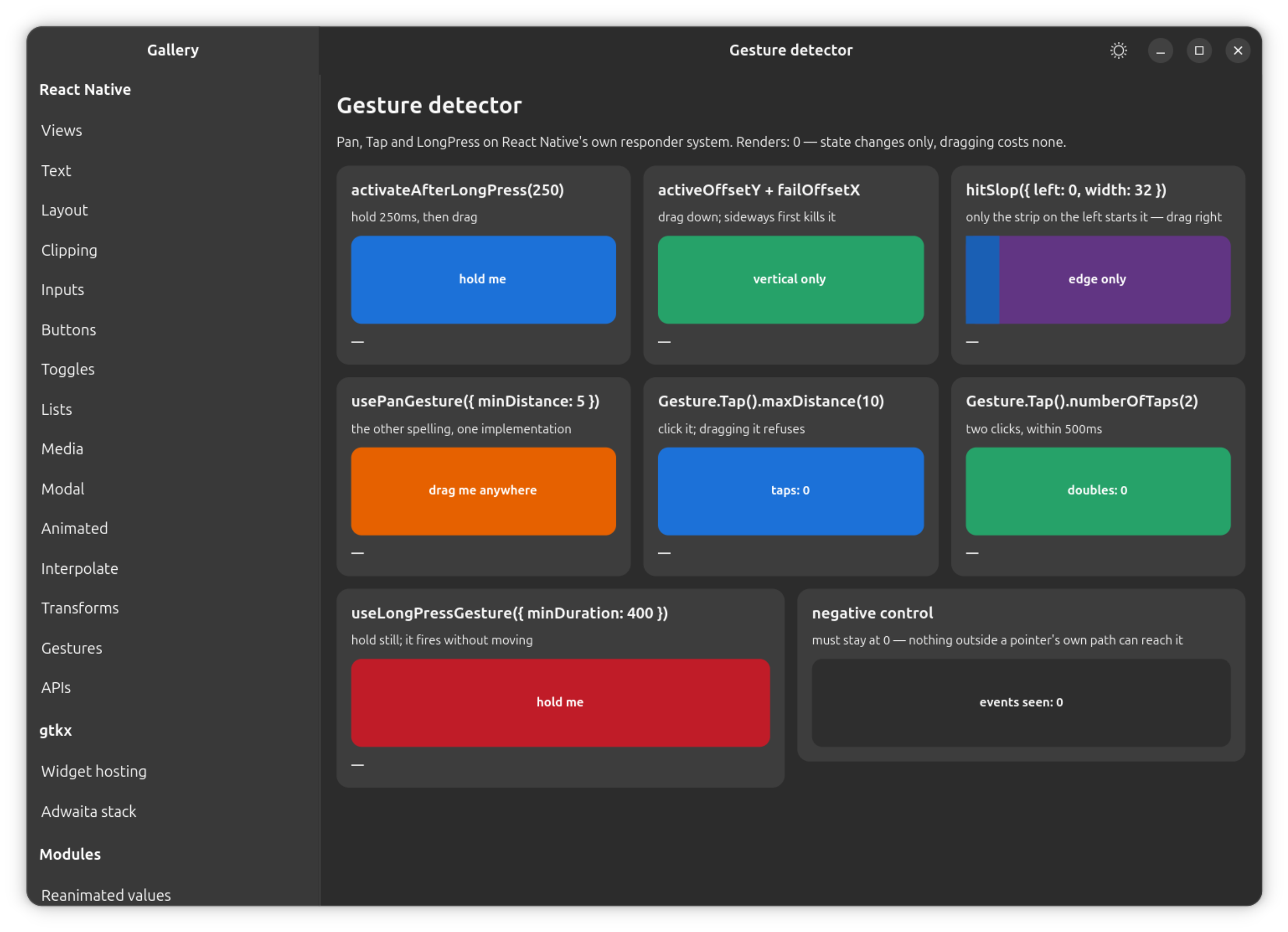
GestureDetector renders exactly one child and adds no widget of its own. It
reaches the child's underlying GTK widget through the same ref-forwarding
seam createAnimatedComponent uses, and merges its recognizer's responder
props into the child's own — a child with its own onTouchStart keeps
working alongside the gesture. Passing a fragment, a string, or more than one
child throws, naming the requirement, because there is nothing for a second
widget to attach to. Passing something that is not a gesture spec — not built
with Gesture.*(), a hook, or a composer — throws as well, naming the
methods that do produce one.
If the child does not forward a ref to a widget-backed component at all — an
opaque wrapper that renders, say, an Animated.View internally without
forwarding its own ref or unknown props onto it — GestureDetector falls
back to a context-based attachment instead: one of this platform's own
components mounted somewhere inside that child can claim the gesture on its
own widget. This exists because react-native-sortables' v3 gesture-handler
integration hands GestureDetector exactly such a wrapper.
hitSlop, shouldCancelWhenOutside, and the x/y fields on every payload
are all measured against the gesture's own view — which is why the widget
still matters even though no event travels through it directly.
userSelect, touchAction and enableContextMenu are accepted and ignored:
they are Web-only upstream (no text selection to suppress, no CSS
touch-action, no context-menu default to cancel on this platform), and
accepting them keeps source that targets several platforms portable.
A native ancestor further up the widget tree that steals the interaction
mid-drag — a ScrollView above a GestureDetector, for instance — reports as
a cancellation to every recognizer built on it: onEnd/onFinalize fire with
success: false, not a clean ending. The responder system tells a theft
(GTK denies the claim) apart from an ordinary release by watching for the
->DENIED transition on the GTK sequence and routing it to the cancel path
rather than the release path.
Recognizers
All ten recognizers run on one shared state machine — UNDETERMINED →
BEGAN → (ACTIVE → END) or FAILED/CANCELLED — with the difference
between kinds being which predicates the machine evaluates and which
callbacks are offered. Tap and LongPress, for example, are the same
machine as Pan with different predicates over the same event stream and the
same grant channel.
Every recognizer has two spellings: the chainable builder (Gesture.Pan(),
deprecated upstream since 3.1.0 but still what most shipped consumers call)
and a hook (usePanGesture(), the spelling upstream is migrating to). Both
produce the same internal gesture spec; neither is a second implementation.
| Recognizer | Builder | Hook | Input it needs | Reports travel (onUpdate/onChange) |
|---|---|---|---|---|
| Pan | Gesture.Pan() | usePanGesture() | pointer | yes |
| Tap | Gesture.Tap() | useTapGesture() | pointer | no |
| LongPress | Gesture.LongPress() | useLongPressGesture() | pointer | no |
| Native | Gesture.Native() | useNativeGesture() | pointer | yes |
| Pinch | Gesture.Pinch() | usePinchGesture() | touchpad | yes |
| Rotation | Gesture.Rotation() | useRotationGesture() | touchpad | yes |
| Fling | Gesture.Fling() | useFlingGesture() | pointer | no |
| Manual | Gesture.Manual() | useManualGesture() | pointer | yes |
| Hover | Gesture.Hover() | useHoverGesture() | pointer (no button) | yes |
| ForceTouch | Gesture.ForceTouch() | — (upstream has none either) | stylus | yes |
Pinch and Rotation are driven by a touchpad rather than by the pointer, and ForceTouch is driven by a stylus — see the recognizers that need other hardware below. Every other kind runs on the ordinary pointer stream.
One pointer, not multiple touches
There is exactly one pointer on this platform, and every payload's
pointerType reads MOUSE except on ForceTouch, which reads STYLUS — the
only kind whose reading is honestly not a mouse. The responder system
fabricates one touch per pointer and has no virtual-touch protocol to draw a
second contact point from. minPointers(2), numberOfPointers(2), and every
other multi-pointer configuration are therefore honestly unreachable: those
recognizers simply never activate, rather than silently behaving as if a
single finger satisfied a two-finger requirement.
Common configuration and callbacks
Every recognizer accepts:
| Option | Effect |
|---|---|
enabled | Turns the recognizer on or off. |
hitSlop | Extra area a press still counts in, in RNGH's spelling — a plain number, or a per-edge object. Unlike a View's own hitSlop, a negative number shrinks the area, and { left: 0, width: 32 } anchors a strip to one edge. |
shouldCancelWhenOutside | Whether wandering off the view cancels the gesture. Defaults differ per kind — noted in each section below. |
manualActivation | Only an explicit GestureStateManager/.activate() call can activate the gesture; the ordinary predicate is not enough on its own. |
withRef() / a raw handler tag | Names this gesture for a relation written on another one. |
withTestId() / testID | A label carried on the config for introspection. |
And the callbacks:
| Callback | Fires |
|---|---|
onBegin | Entering BEGAN. |
onStart (onActivate in the hook spelling) | Entering ACTIVE. |
onUpdate, onChange | On travel — continuous kinds only; see the per-kind sections. |
onEnd (onDeactivate) | Leaving ACTIVE/BEGAN for END or a cancellation. |
onFinalize | Always last, whatever the outcome. |
onTouchesDown, onTouchesMove, onTouchesUp, onTouchesCancelled (onTouchesCancel) | Raw touch data, independent of the recognizer's own state. |
The builder spelling's ending callbacks take (event, success); the hook
spelling instead reads a canceled field off one event argument, and has no
onChange at all — changeX/changeY are always present on the update
payload. Tap, LongPress and Fling are discrete and offer no
onUpdate/onChange in either spelling: a gesture with no travel to report
has nothing for those callbacks to carry.
runOnJS is accepted and does nothing: it asks for the JS runtime, and there
is exactly one runtime here, so every callback already runs where it is
asking. averageTouches, enableTrackpadTwoFingerGesture,
cancelsTouchesInView, activeCursor and mouseButton are accepted and
inert — each is platform-specific upstream too (Android-only, iOS-only or
Web-only respectively), and inert off its own platform there as well.
The three relation methods — simultaneousWithExternalGesture,
requireExternalGestureToFail, blocksExternalGesture — are covered in
Cross-gesture relations.
Pan
| Option | Effect |
|---|---|
activeOffsetX / activeOffsetY / failOffsetX / failOffsetY | A single number is directional by its sign — activeOffsetX(20) bounds only the positive side. Failure is tested with strict comparisons where activation uses non-strict ones, so a translation exactly on a bound activates. |
minDistance | Defaults to 10, unless an activeOffset* or minVelocity* option is set — then distance stops applying and those are the criteria instead. |
minVelocity, minVelocityX, minVelocityY | Velocity thresholds, in addition to or instead of distance. |
minPointers, maxPointers | Pointer-count bounds — see One pointer, not multiple touches. |
activateAfterLongPress | Activates on a timer rather than on the next pointer movement. 0 (the default) means no hold at all. |
translationX/translationY are measured from the point of activation, not
from the press — a fresh grab always starts at zero, which is why an app
capturing a running offset does so in onStart rather than by reading the
translation directly (see the example at the top of this page).
velocityX/velocityY are the last inter-event delta, not a smoothed
figure — see the fling deviation below, which reads the same
number.
Tap
Tap activates on the release, not on the press, so the interaction stays
available to anything else watching the same pointer while a tap is still
being decided — it never holds the responder until the instant it wins.
| Option | Effect |
|---|---|
numberOfTaps | Taps required. Between them the gesture stays BEGAN, holding nothing; onBegin fires once for the whole sequence. |
maxDuration | Defaults to 500ms, re-armed on every press of a sequence. A press held past it fails on the timer, pointer still down. |
maxDelay | Defaults to 500ms — how long the next tap may take to arrive before the sequence gives up. |
maxDistance | A radius from the press, not a per-axis limit — the tap-vs-drag rule. Has no default, matching upstream: an unconfigured tap accepts any travel that stays inside the view. |
maxDeltaX, maxDeltaY | Per-axis limits, independent of maxDistance. |
minPointers | Checked against the most pointers the interaction ever had at once. Above 1, see One pointer, not multiple touches. |
shouldCancelWhenOutside | On by default, from the constructor. A press that wanders off the view is not a tap on it. |
Differs from react-native-gesture-handler: useTapGesture() defaults
shouldCancelWhenOutside to true here, matching Gesture.Tap(). Upstream's
own hook forgets to set this default even though its builder and its native
handler config both do, so its two spellings disagree with each other; both
spellings agree here.
LongPress
LongPress activates on a timer, with the pointer standing still —
waiting for the next pointer movement would mean waiting forever for a
press-and-hold.
| Option | Effect |
|---|---|
minDuration | Defaults to 500ms. |
maxDistance | Defaults to 10, measured from the press for the whole gesture rather than re-based at activation. Travelling past it before the press matures fails the gesture; travelling past it after cancels it, so onEnd/onFinalize report false. |
numberOfPointers | Above 1, see One pointer, not multiple touches. |
shouldCancelWhenOutside | On by default. |
event.duration | Milliseconds since the press. Upstream carries this on LongPress alone; every payload here carries it, since there is one payload type across all ten kinds. |
Differs from react-native-gesture-handler: minDuration(0) activates on the
next tick rather than synchronously inside the press. Nothing observable
depends on the difference.
Native
Native stands for the widget underneath the detector — the one
platform-specific rule that follows from that is that it never takes the
responder. Taking it is what makes this platform claim CLAIMED on the GTK
sequence and suspend kinetic scrolling on every enclosing scrollable, and a
gesture whose whole meaning is "the native scroller is handling this" cannot
be the thing that switches the native scroller off. It reports what happens
and yields.
| Option | Effect |
|---|---|
| activation | BEGAN on press, ACTIVE once the pointer has traveled 15px — where a native scrollable would have started scrolling. A lift before that fails rather than ends. |
shouldActivateOnStart | Takes the gesture on the press itself — the shape for a native view that is a button rather than a scrollable. |
disallowInterruption, yieldsToContinuousGestures | Recorded on the config, for the relation registry to read; neither changes behavior by itself. |
shouldCancelWhenOutside | On by default. |
| the callbacks | All present; Native is continuous, so it reports onUpdate/onChange travel like Pan. They arrive from the touch props (which fire regardless of responder status) rather than from the responder move event, since Native never holds the responder. |
| a sequence taken away mid-drag | Reported as a cancellation — see the ancestor-steals-the-sequence note above. |
Pinch and Rotation — the two that need a touchpad
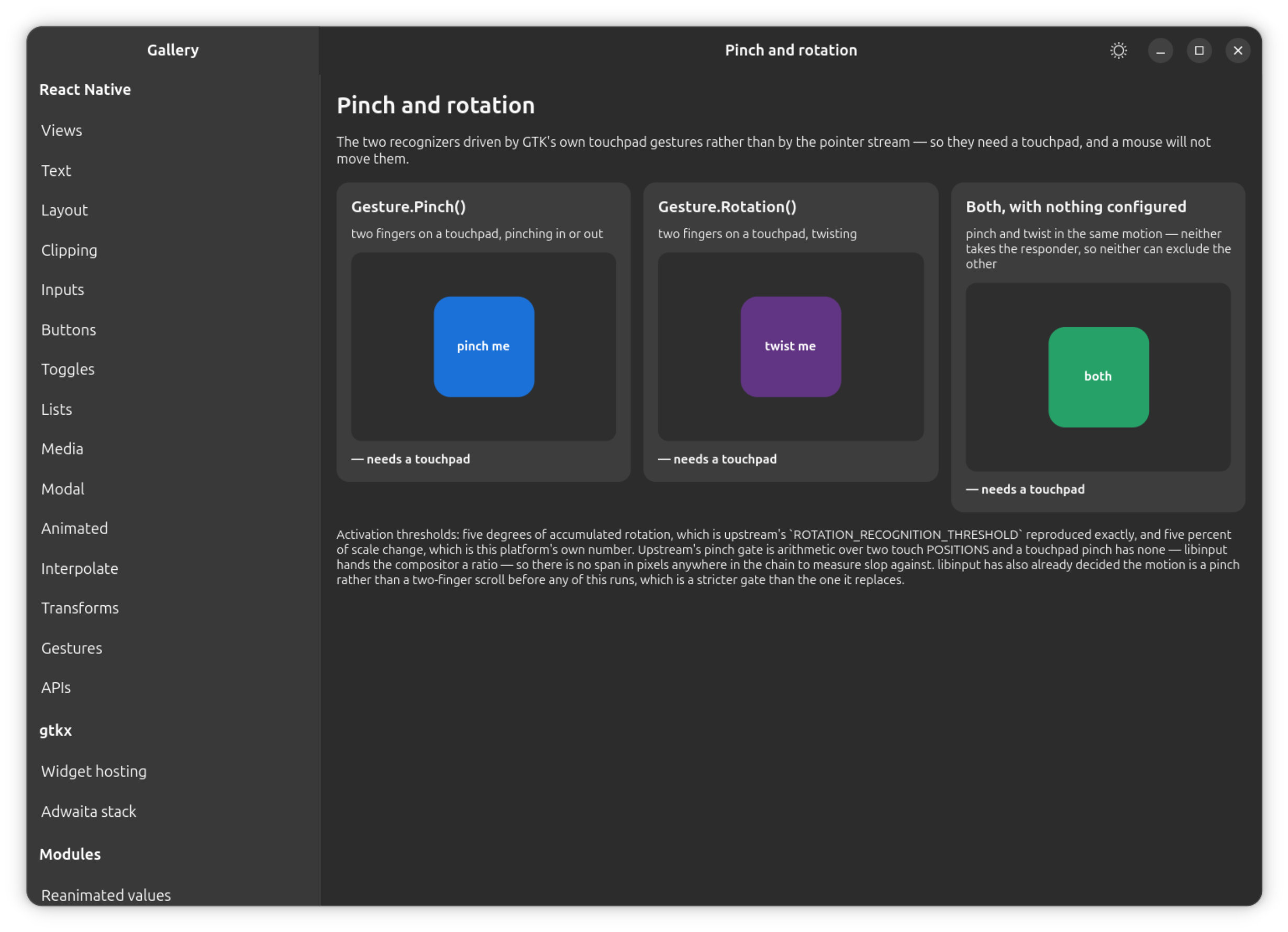
Both are driven by a touchpad rather than by the pointer: a pinch is not a
pointer event, it is a conclusion libinput draws from two fingers moving on a
device it has classified as a touchpad, delivered as
zwp_pointer_gestures_v1 and turned by GDK into GDK_TOUCHPAD_PINCH. GtkGestureZoom
and GtkGestureRotate read the scale and the angle directly off that event
rather than reconstructing them from tracked positions — a more direct path
than upstream's own ScaleGestureDetector, which tracks two real touches and
has no touchpad path of its own. With no touchpad attached, neither gesture
ever begins; a mouse cannot produce the input either recognizer needs.
Recognition and arbitration are otherwise unchanged: the same state machine,
the same callbacks, the same relation maps, the same broadcast cancel as
every other kind. Gesture.Simultaneous(pinch, rotation) behaves exactly like
Gesture.Simultaneous(pan, tap); without a relation, a Pinch and a
Rotation race and cancel each other like any other two gestures would.
const scale = useSharedValue(1)
const angle = useSharedValue(0)

const pinch = Gesture.Pinch().onUpdate((event) => {
  scale.value = event.scale // 1 at the start, cumulative, >1 for a spread
})
const rotation = Gesture.Rotation().onUpdate((event) => {
  angle.value = event.rotation // radians since the start, positive clockwise
})

const zoomable = (
  <GestureDetector gesture={Gesture.Simultaneous(pinch, rotation)}>
    <Animated.View style={animatedStyle} />
  </GestureDetector>
)
Neither recognizer has any configuration of its own beyond what every kind
shares — matching upstream, where PinchGesture and RotationGesture add
zero builder methods over their common base.
| Field | Value |
|---|---|
event.scale | Cumulative and multiplicative, 1 at the start of the gesture, and not re-based when it activates. |
event.scaleChange | A ratio (scale composes by multiplication) — the scale itself on the first update. |
event.rotation | Radians since the start of the gesture, positive clockwise. |
event.rotationChange | A difference in radians. |
event.focalX/focalY, event.anchorX/anchorY | In the gesture view's own coordinates; absoluteX/absoluteY carry the same point in window coordinates. |
event.velocity | Per second — scale-per-second for Pinch, radians-per-second for Rotation. See the deviation note below. |
| activation | Rotation at 5° of accumulated rotation (upstream's own threshold). Pinch at 5% of accumulated scale change. |
shouldCancelWhenOutside | Off by default — a pinch is not addressed to a point the way a tap is, so a focal point drifting off the view mid-gesture does not cancel it. |
the onTouches* callbacks | Accepted, and never fire — there is no touch sequence behind a touchpad gesture, matching upstream's own behavior on a trackpad. |
| pinch-specific / rotation-specific config | None, upstream included. |
Differs from react-native-gesture-handler, in two places, both named
explicitly rather than silently reproduced:
- Velocity units.
event.velocityis computed per second here, which is what upstream's own documentation promises but not what either of its web handlers actually computes:PinchGestureHandlerdivides by a millisecond delta and never by 1000 (a thousand times too small), andRotationGestureDetector's time delta is an addition of two timestamps rather than a subtraction, which is not a velocity at all. There is no single correct upstream number to reproduce, so the documented unit is what ships. - Pinch's activation threshold.
Pinchactivates at 5% of accumulated scale change. Upstream activates after two stages of pixel arithmetic — 30px of span change, then a further 15px — which has nothing to measure here: a touchpad pinch arrives as a ratio, with no pixel span anywhere in the chain. A percentage is the restatement, and a small one is the correct scale for it, because libinput has already decided the two fingers are pinching rather than scrolling before GTK ever sees the event — upstream's own threshold is the first such decision in its pipeline, this one is a second, smaller gate after that decision has already been made elsewhere.
Both gestures need a real touchpad and a compositor with a libinput backend to observe; the headless compositor this project's own test suite runs against has neither, so both are verified with a virtual touchpad device instead of inside that suite.
Fling
The distinguishing fact about a fling is that it is a velocity predicate, not a distance one — a slow drag can travel exactly as far as a fast flick.
| Option / rule | Value |
|---|---|
direction | A bitmask of Directions, defaulting to Directions.RIGHT. Setting two axis bits also opens the diagonal between them, with a wider cone — UP | RIGHT accepts a 45° flick that neither axis accepts alone. |
| the cones | 30° around each axis (±15°), 60° around each diagonal (±30°) — tiling the circle exactly, matching upstream. |
minVelocity | 700 units per second, compared strictly. Not configurable, upstream included. |
| the deadline | 800ms from the press. A press that has not flung by then fails, whatever it is doing. |
numberOfPointers | Compared for equality against the most pointers the interaction ever had — see One pointer, not multiple touches. |
| when it decides | On every move, not on release — the instant the pointer is fast enough and pointed the right way, button still down. The release is only the last chance. |
| the progression | BEGAN → ACTIVE → END in one synchronous step, with no onUpdate ever — a fling is discrete. |
Differs from react-native-gesture-handler: velocityX/velocityY are the
last inter-event delta, the same number Pan().minVelocity() reads, rather
than upstream's least-squares fit over up to 20 samples inside a 300ms
horizon. A fling here is more sensitive to a single long frame than
upstream's smoothed figure; the deadline and the cone are unaffected.
Manual
No configuration of its own, in either spelling — matching upstream, where
ManualGesture adds zero builder methods. It begins on the press and decides
nothing on its own: the GestureStateManager handed to
onTouchesDown/onTouchesMove/onTouchesUp/onTouchesCancel is the whole
API.
| Method | Transition |
|---|---|
.begin() | UNDETERMINED → BEGAN. |
.activate() | BEGAN → ACTIVE, through the ordinary arbitration — a request, not a decision: it can come back parked behind requireExternalGestureToFail, or cancelled. Forced past manualActivation. |
.end() | BEGAN or ACTIVE → END, successfully. |
.fail() | BEGAN or ACTIVE → FAILED. |
Differs from react-native-gesture-handler: upstream's documentation states
that Manual does not end when the pointers lift. Half of that holds here —
a Manual still BEGAN when the pointer comes up stays BEGAN, holding
nothing. The other half does not: an ACTIVE Manual here is holding an
interaction — the responder lock, the GTK sequence, suspended scrollers — and
that interaction ends when the pointer does. Staying ACTIVE past it would
mean holding a lock that no longer exists and never reporting an ending at
all, so an ACTIVE Manual ends, successfully, with the interaction.
onTouchesUp fires first and carries the state manager, for an app that wants
a different ending to write it in.
Hover
Driven by the same GTK motion controller Pressable uses for its hovered
state. It goes straight to ACTIVE on the pointer crossing in, with no
threshold at all, reports x/y in the gesture view's own coordinates while
the pointer moves inside, and ends — not cancels — when the pointer leaves.
| Option | Effect |
|---|---|
.effect() / hoverEffect | Accepted, inert — iOS's own pointer effect; upstream's web handler never branches on it either. |
hitSlop, enabled | As for every other kind, including the shrinking (negative) form of hitSlop. |
| the callbacks | Hover is continuous, so onUpdate/onChange report travel and changeX/changeY carry the delta. |
mouseButton | Inert for this kind, matching upstream: hover never consults a button. |
A hover never takes the responder — there is no press to start an interaction
with, so there is no session to claim. That means a hover cannot exclude a
press by itself, and mutual exclusion is still the default: a hover crossing
in while a Pan on another view is still BEGAN cancels that pan, matching
upstream's own behavior. Declaring simultaneousWithExternalGesture (or
composing with Gesture.Simultaneous()) between a hover and anything sharing
its screen avoids that, the same way upstream's own Pressable sets
manualActivation on its internal hover recognizer to stop it blocking a
native gesture.
ForceTouch
Upstream does not implement ForceTouch off iOS at all, so there is no web
behavior to match — the semantics below come from its documented contract.
| Option | Effect |
|---|---|
minForce | Defaults to 0.2, upstream's documented default. Non-strict at the bound, like every other activation threshold here. |
maxForce | A ceiling that fails the gesture before activation and cancels it after — the same shape LongPress's maxDistance has. Unset means no ceiling. |
feedbackOnActivation | Accepted, inert — there is no haptic device on this platform. |
force, forceChange | On every payload. forceChange is a difference (the force itself on the first update). |
pointerType | Always STYLUS for this kind — the only one that is not MOUSE, since a pressure reading can only have come from a tablet tool. |
ForceTouch has no hook counterpart in either implementation — upstream's own
hook tree has nine directories and no forceTouch, so Gesture.ForceTouch()
is the whole API upstream offers for it, and the whole API offered here.
It is driven by GtkGestureStylus, whose pressure axis arrives already
normalized to [0, 1] — upstream's documented range, so nothing is rescaled.
The controller is stylus-only by default, so a mouse produces no events for
it at all: that is deliberate, and it is what keeps a ForceTouch from
activating at pressure 0 on a machine with no drawing tablet. Verifying the
full chain end to end needs a real or virtual stylus device; the headless
compositor this project's test suite runs against enumerates none.
Gesture composition
Gesture.Race(), Gesture.Simultaneous() and Gesture.Exclusive() (and
their hook equivalents useCompetingGestures(), useSimultaneousGestures()
and useExclusiveGestures()) are list-builders over the three relation maps
described in Cross-gesture relations, with no
mechanism of their own:
Raceadds no relation at all — racing is what happens without one.Simultaneousis a pairwise fill of the simultaneous-handlers map.Exclusiveis a chain fill of the wait-for map, where every group waits for every group before it. A nestedExclusiveinside aSimultaneousstays exclusive.
A single GestureDetector may hold a composition. It mounts every recognizer
the composition contains onto the one child, and still adds no widget.
Cross-gesture relations
| Relation | Means |
|---|---|
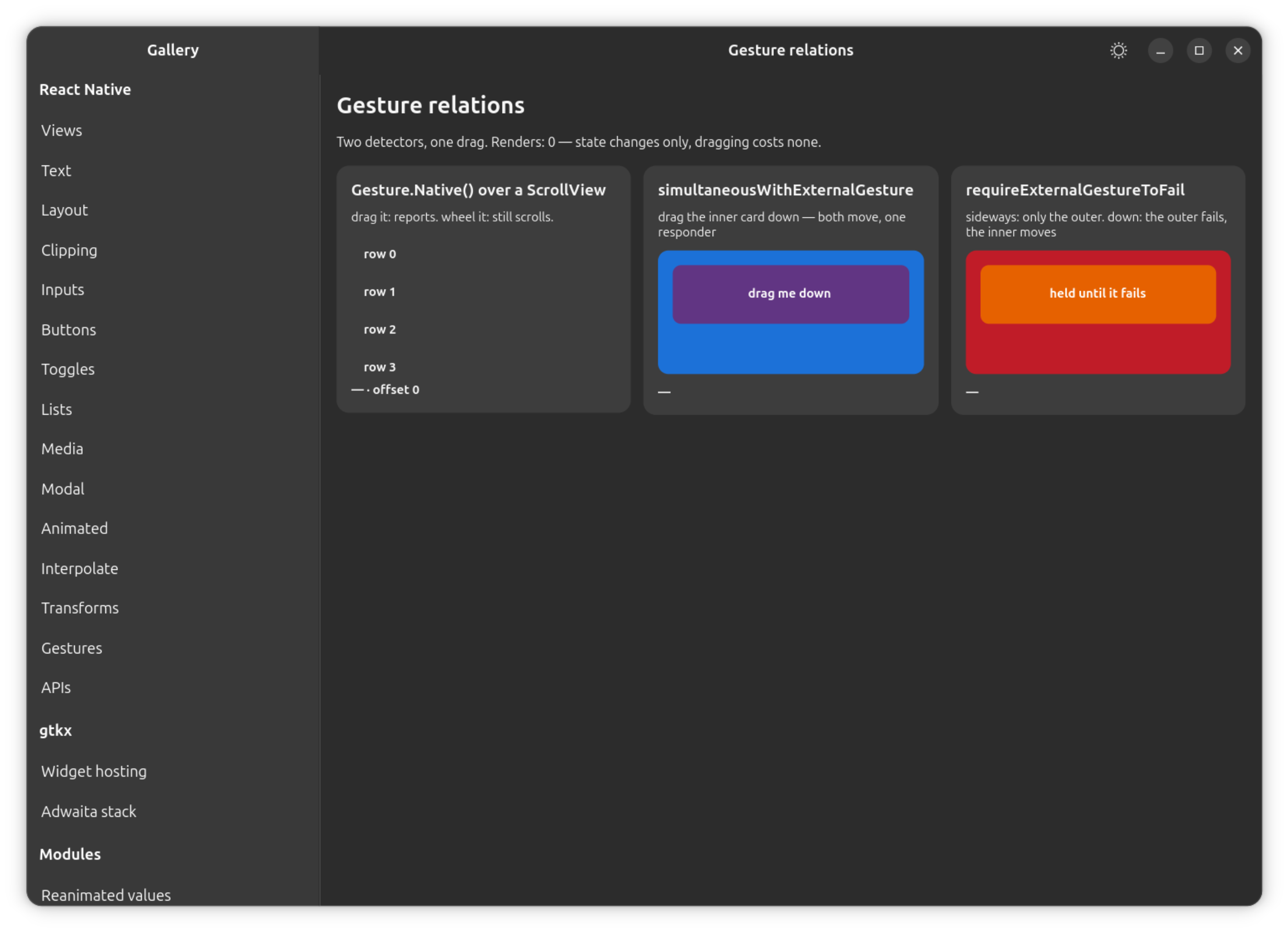
requireExternalGestureToFail(other) — hook config: requireToFail | This gesture waits for other to fail. |
simultaneousWithExternalGesture(other) — hook config: simultaneousWith | Both may be ACTIVE at once. |
blocksExternalGesture(other) — hook config: block | other waits for this one. |
A relation names the other gesture with the gesture object itself, a
withRef() handle to it, or a raw handler tag. The gesture object built by
either spelling is rebuilt on every render, so a relation should point at a
memoized object (useMemo, a ref, or a context value) — a relation written
against a stale object of a gesture that has since been rebuilt cannot be
resolved. Upstream has the same constraint.
const scroll = Gesture.Pan().activeOffsetX([-10, 10]).failOffsetY([-25, 25])

const sheet = Gesture.Pan()
  .activeOffsetY([-10, 10])
  // Held in BEGAN — taking nothing, claiming nothing — until `scroll` fails.
  .requireExternalGestureToFail(scroll)
Two locks, at two levels, deliberately not merged. The responder lock keeps its one job: one interaction belongs to React Native, one holder, one irrevocable claim on the source. Gesture arbitration is a second, JS-only registry that never talks to GTK — every relation resolves before anything is claimed. The consequences:
Simultaneousreally means twoACTIVEgestures, each getting its ownonStart/onUpdate/onEndfor the same pointer — while exactly one responder is claimed. The gesture that did not win the responder lock is driven from the touch props, which fire regardless of responder status; the holder reads the responder-move event.- Mutual exclusion is the default. Without a relation, the first gesture to
activate cancels every other gesture watching the same interaction. A
gesture that is already
ACTIVE, or parked waiting for another, is cancelled by nothing except an activeGesture.Native()— which is whyNativeis treated as special rather than as just another recognizer. ENDandFAILEDare not the same release for a parked gesture: one waiting on another is released when that one fails or is cancelled, and cancelled when it ends — the thing it was deferring to actually happened, so its own turn never comes.
Two responder roots that nest — an island mounted inside another island's
view — are one GTK widget chain, so both gestures share one interaction path
and every relation behaves as it would inside a single root. Two roots that
are disjoint — separate windows, or sibling islands — can never have both
gestures live in one interaction at once: a relation between them is
expressible and resolves to a real handler tag, it simply never has an
occasion to apply, and it neither errors nor warns.
requireExternalGestureToFail across disjoint roots does not deadlock for the
same reason: parking only ever happens against a gesture that is live in the
interaction under way, so a gesture in another root is never waited for.
GestureStateManager
GestureStateManager.activate(handlerTag), .fail(handlerTag) and
.deactivate(handlerTag) are standalone functions, keyed by a numeric handler
tag rather than by a gesture object — the shape react-native-gesture-handler
3.1.0 itself exports under this name (its older .create(tag) factory survives
only as a type, with no runtime value).
Each call looks the tag up in a registry populated the instant a
GestureDetector mints a handler tag for a mounted recognizer, and forgotten
the instant that detector unmounts, then routes to the same state-manager
object Gesture.Manual()'s own onTouchesDown/onTouchesMove/onTouchesUp/
onTouchesCancel callbacks already receive — the same machinery, the same
arbitration loop, nothing built twice.
| Method | Effect |
|---|---|
.activate(handlerTag) | BEGAN → ACTIVE on the recognizer that tag names, through the ordinary arbitration loop. |
.fail(handlerTag) | BEGAN or ACTIVE → FAILED. |
.deactivate(handlerTag) | BEGAN or ACTIVE → END, successfully — upstream's other name for the same transition. |
| an unknown tag | A no-op, with a development-mode warning. |
Differs from react-native-gesture-handler: a tag naming no mounted
recognizer — never minted, or already unmounted — does not throw. It is a
no-op, warned in development rather than in production, which is not
upstream's own shape (a native lookup miss) but the closest match available:
loud without being fatal, matching the same no-op a gesture's own state
machine already gives an out-of-order call.
react-native-sortables' own v3 gesture-handler adapter calls
GestureStateManager.activate(event.handlerTag) from its own
onTouchesMove, reading only the numeric tag off the event — the ordinary
path for any drag using that library, not an edge case.
State, Directions and the other enums
| Export | Values | Used for |
|---|---|---|
State | UNDETERMINED 0, FAILED 1, BEGAN 2, CANCELLED 3, ACTIVE 4, END 5 | Every payload's state/oldState fields, so state === State.ACTIVE is ordinary, correct code. |
Directions | RIGHT 1, LEFT 2, UP 4, DOWN 8 — a bitmask | Gesture.Fling().direction(). Four diagonal combinations exist by OR-ing two axis bits together (UP | RIGHT, and so on) but are not named on the public object, matching upstream. |
PointerType | TOUCH 0, STYLUS 1, MOUSE 2, KEY 3, OTHER 4 | Every payload's pointerType. Only MOUSE and STYLUS are ever actually reported on this platform. |
HoverEffect | NONE 0, LIFT 1, HIGHLIGHT 2 | .effect()/hoverEffect on Gesture.Hover(). Inert — iOS's own pointer effect, inert in upstream's own web handler too. |
MouseButton | LEFT 1, RIGHT 2, MIDDLE 4, BUTTON_4 8, BUTTON_5 16, ALL 31 — a bitmask | .mouseButton(). Inert, matching upstream off Web. |
HoverEffect and MouseButton are exported as real data even though they are
inert on this platform, for the same reason their knobs are accepted rather
than refused: both are already accepted-and-inert configuration, and a knob
that accepts a number while refusing the named constant for that number would
be incoherent. Every value in all five enums is pinned against
react-native-gesture-handler 3.1.0's own source numbers.
The re-exported components
ScrollView, FlatList, TextInput, Switch, Pressable,
TouchableOpacity, TouchableHighlight and TouchableWithoutFeedback are
re-exported under RNGH's names as this platform's own components, unwrapped.
Upstream builds each of these with
createNativeWrapper(RN.X, { disallowInterruption: true, shouldCancelWhenOutside: false })
— attaching a NativeViewGestureHandler so that its own arbitration knows
about the native scrolling or the native press underneath. On this platform
the responder system already is that arbitration: every one of these
components already speaks it, and Gesture.Native() is how an app declares a
gesture over one of them explicitly when it needs to. The wrapper has nothing
to add here, so the honest re-export is the component itself.
What is not implemented
Every export listed below throws when used — on call, on render, or on property access, naming itself — rather than silently rendering its children without gestures attached. An import this subpath does not list at all fails earlier still, at bundle time, with the bundler's own "no export named X".
The legacy handler-component API (RNGH 1.x)
FlingGestureHandler, ForceTouchGestureHandler, LongPressGestureHandler,
NativeViewGestureHandler, PanGestureHandler, PinchGestureHandler,
RotationGestureHandler, TapGestureHandler and legacy_createNativeWrapper
all throw, naming themselves.
These are RNGH's 1.x component API —
<PanGestureHandler onGestureEvent={...}><View/></PanGestureHandler>, with
its own onGestureEvent/onHandlerStateChange event shape, its own
enabled/waitFor prop plumbing and its own createHandler HOC — which
upstream deprecated years before it deprecated the builder spelling. The
builder (Gesture.Pan() and its siblings) and the hook spelling
(usePanGesture() and its siblings) are the two spellings implemented here,
which is one more than upstream itself still recommends.
legacy_createNativeWrapper(Component, config) attaches a
NativeViewGestureHandler to an arbitrary component; it has nothing to add on
this platform for the same reason the re-exported components above do not
need it — the responder system is already the arbitration it would register
with.
The native button family
BaseButton, RawButton, RectButton and BorderlessButton all throw,
naming themselves.
These are not RN components with a handler attached — they are RNGH's own
native button views, implemented in Java and Objective-C, with an Android
ripple, rippleColor/rippleRadius, borderless drawable selection, an
exclusive group, and an activeOpacity applied by the native view rather
than by style. No GTK widget has that set of semantics, and there is no way to
fake the ripple — any implementation would be a Pressable wearing another
component's name.
RefreshControl, Touchable and TouchableNativeFeedback
All three throw, naming themselves.
TouchableNativeFeedback is Android's ripple by another name.
Touchable is React Native's own deprecated mixin. RefreshControl is
pull-to-refresh, which needs a scroll gesture this platform's ScrollView
does not expose and a spinner widget this platform does not have.
The three new-API pieces that don't apply here
GestureDetectorType, InterceptingGestureDetector and
VirtualGestureDetector all throw, naming themselves, for three separate
reasons:
GestureDetectorTypeis a type upstream, not a value. Type positions never reach this module at all — the alias is a bundler alias, sotscresolves the real package's types fromnode_modules— so a runtime value under this name could only be reached by code that has already gone wrong.InterceptingGestureDetectorintercepts events destined for views below it. Doing that here would mean claiming a GTK sequence before deciding whether to keep it, and a claim on this platform is irrevocable — the "intercept, look, maybe give it back" shape has no GTK equivalent.VirtualGestureDetectordrives a gesture with no view at all. The handler-tag registry behindGestureStateManageranswers "which mounted recognizer does this number mean", not "mint a recognizer with nothing to measure and no widget to attach a controller to" — every recognizer on this platform is still built by a mountedGestureDetectorwrapping exactly one child.
The 2.x legacy aliases
LegacyScrollView, LegacyFlatList, LegacyTextInput, LegacySwitch,
LegacyPressable, LegacyText, LegacyRawButton, LegacyBaseButton,
LegacyRectButton, LegacyBorderlessButton, LegacyRefreshControl and
LegacyDrawerLayoutAndroid all throw, naming themselves.
Each is 3.x's escape hatch back to its 2.x implementation of a component whose
3.x spelling either already works here under its modern name, or is refused
above with its own reason. Where the modern name works, the legacy alias
would carry a promise this platform cannot keep — "this behaves like 2.x
did" — since 2.x's own behavior was never implemented here to differ from.
Where the modern name is refused, the alias inherits that refusal.
LegacyDrawerLayoutAndroid is refused twice over: React Native itself does
not ship DrawerLayoutAndroid off Android, and @react-navigation/drawer
reaches for react-native-drawer-layout instead, which runs on this
platform.